INTEGRATING PHYSICAL PROPS AND VR FOR INTERACTIVE DESIGN
TEI'24
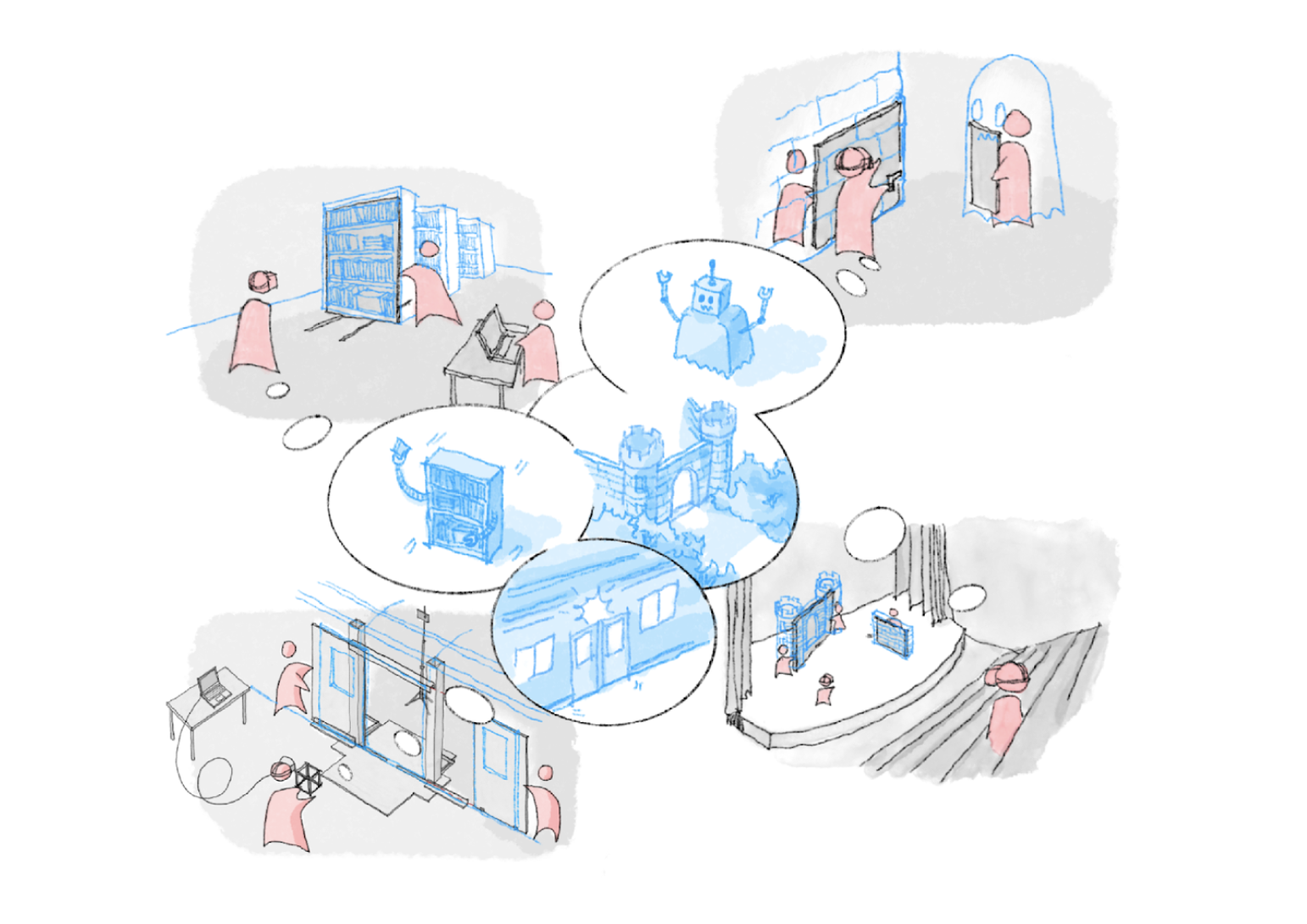
Fig1. Wizard of props
Introduction
Wizard of props is a project that is led by Ruixiang Albert Han and Adam Yuzheng Zhang and supervised by Wendy Ju and Daniel Leithinger. This project introduces the VRWizard system that integrates substitutions reality, haptic feedback in VR, and Wizard of Oz design. VRWizard integrates full-scale physical props with VR visualization to support the interactive design process, which allows interactive designers (e.g. architects, stage designers, and tangible device designers) to design in such a hybrid environment. Our contribution to the community is twofold: 1) proposing a construction kit for props in substitutional reality and 2) revealing some crucial aspects of interaction design that are usually ignored in the current workflow.
Technical description
Physical props.The physical prop (Figure 2.A) of the WoP system is made up of a cardboard frame and two cardboard door panels on casters, allowing the panels to slide with one degree of freedom (DoF), forming a bilateral opening door.Virtual environment.We developed a virtual scene with Unity 3D and displayed it to the participant through a head-mounted VR display (HMD) (Figure 2.C and 2.D). The virtual scene consists of a subway station with a boarding train.Fiducial marker. Two Aruco markers are attached to door dashes and traced by an external camera. Movement of the physical props triggered by participants will be therefore mapped to the digital scene, in this case, the subway carriage's door.
The hybrid synchronization. In the VR application with hand-tracking enabled, the researcher would first point at the central origin of the door with the right index finger and then move along with the orientation of the door. The virtual scene would reorient itself to match the transform of the physical prop.
Fig2. Diagram of VRWizard
User Study
We conducted a formative pilot study to explore the performance of the Wizard of Props as a system in an actual design workflow and compare this with the more-conventional design workflow, such as traditional tabletop design, using hand sketching and the Unity program. The study took approximately 40 minutes to complete and consists of four sections:Introduction:We explained the design task that they were expected to complete. The design goal was to create a subway door-opening scenario for an approaching passenger carrying a box. No restrictions were put in except for the above topic. We encouraged participants to let their imagination run wild, regardless of any considerations of practicality or implementation. The overarching idea is to design an exciting yet novel interaction.Design phase:We asked each team to work on the same design task with the two methods: the WoP and the tabletop, at a random sequence in the two consecutive design phases. Using the tabletop system (Figure 3.A), the participants are provided paper and pen to sketch and outline their ideas, and they also have access to interactive visualization of the subway door scene in Unity, with which they can drag the door panels with a mouse and "animate" their door motion. Using the WoP system (Figure 3.B), the participants would operate the door prop physically and experience the immersive subway scene virtually. They would command the other researcher to operate the other half of the sliding door prop. In each design phase, the participants would spend eight minutes on design and four minutes sharing and discussing their final design with researchers. In this study, two groups worked on the design task first with tabletop and then with WoP, while the other two groups worked in the opposite order. Discussion:We ended the study with a semi-structured discussion that focused on their experiences and reflections on the design process rather than their proposed design product. We also asked for their critique of the two design methods.
Fig3. User Study
Result and discussion
After reviewing the video documentation and analyzing the similarities and differences between the participant’s bodily and speech actions in the two different approaches, we compiled a set of benefits and challenges that the teams experienced while using the Wizard of Props system for interactive design. Spatial awareness insights.The participants demonstrated their understanding of the spatial relationship in both the WoP system and the baseline tabletop condition. In the WoP system, we observed that the enhanced spatial awareness led to an emphasis on the asymmetrical and user-centered design of the door. Besides, a better understanding of the scale also helped with decision making, as one group commented, "(In the tabletop condition) we decided to open the door the same amount as the width of the passenger, but in VR we saw that the actual subway door is quite narrow and we almost always opened the whole door."
Experiencing the interaction while designing.Being a designer only does not give a comprehensive and responsive understanding of the design outcome. A WoP provides participants with the double role of an experimenter and a designer. While pertaining to the roles of designer, participants could spark new ideas that are made possible by the systems based on experimenter experience. For example, compared with barely describing the closing speed of the door, WoP enables a vivid embodied experience of the movement, which enables the designer to make subtle changes until reaching the satisfying status.
Ideas that are made possible by the WoP systems. A handful of novel ideas were inspired by the WoP design system. For instance, the construction of the physical props let a group remove a light indicator that they came up with in their first tabletop design phase. Through acting the design out with WoP, they realized that the jiggling sound made by the motion of the door was enough to convey the alert signal